
Extrude Challenges
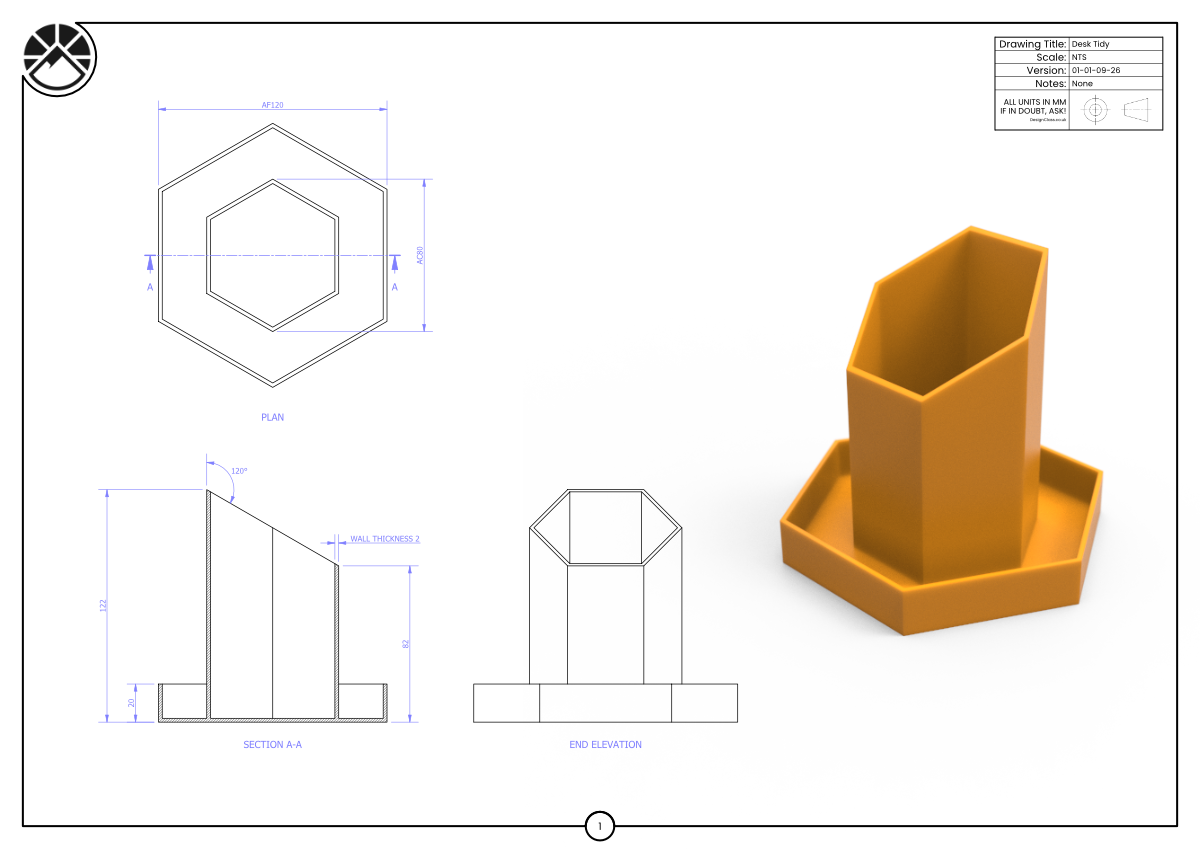
Create the Desk Tidy by sketching the AF120 / AC80 hexagon profile shown in the plan and extruding it as a solid. Use the Shell command to hollow the part, removing the top face and setting the wall thickness to 2 mm.
Learning Intentions
Use the Shell command to hollow solid geometry.
Apply consistent wall thickness to angled and polygonal forms.
Success Criteria
Shell removes the correct face and produces clean 2 mm walls.
Internal geometry matches Section A‑A.
Challenge Drawing
-
Downloads you need to supplement this course.